


The Google Ads Optimization Score is a critical metric that shows how well your ad campaigns align with Google’s best practices. Ranging from 0% to 100%, this score helps you identify areas for improvement to enhance campaign performance.
In this article, Search Scientists delves into what the optimization score is, why it’s essential, and provides specific tips to boost your score for better results.
What is Google Ads Optimization Score
Before you start improving your Google Ads Optimization Score, it’s important to know why this score matters for your ad campaigns. The Google Ads Optimization Score ranges from 0% to 100%, with 100% meaning your account is performing at its best. This score shows how well your account is doing and points out areas that need work.
The score helps advertisers improve their campaigns with Google’s recommendations. These cover various campaign types like:
- Search
- Display
- Video auction
- Shopping
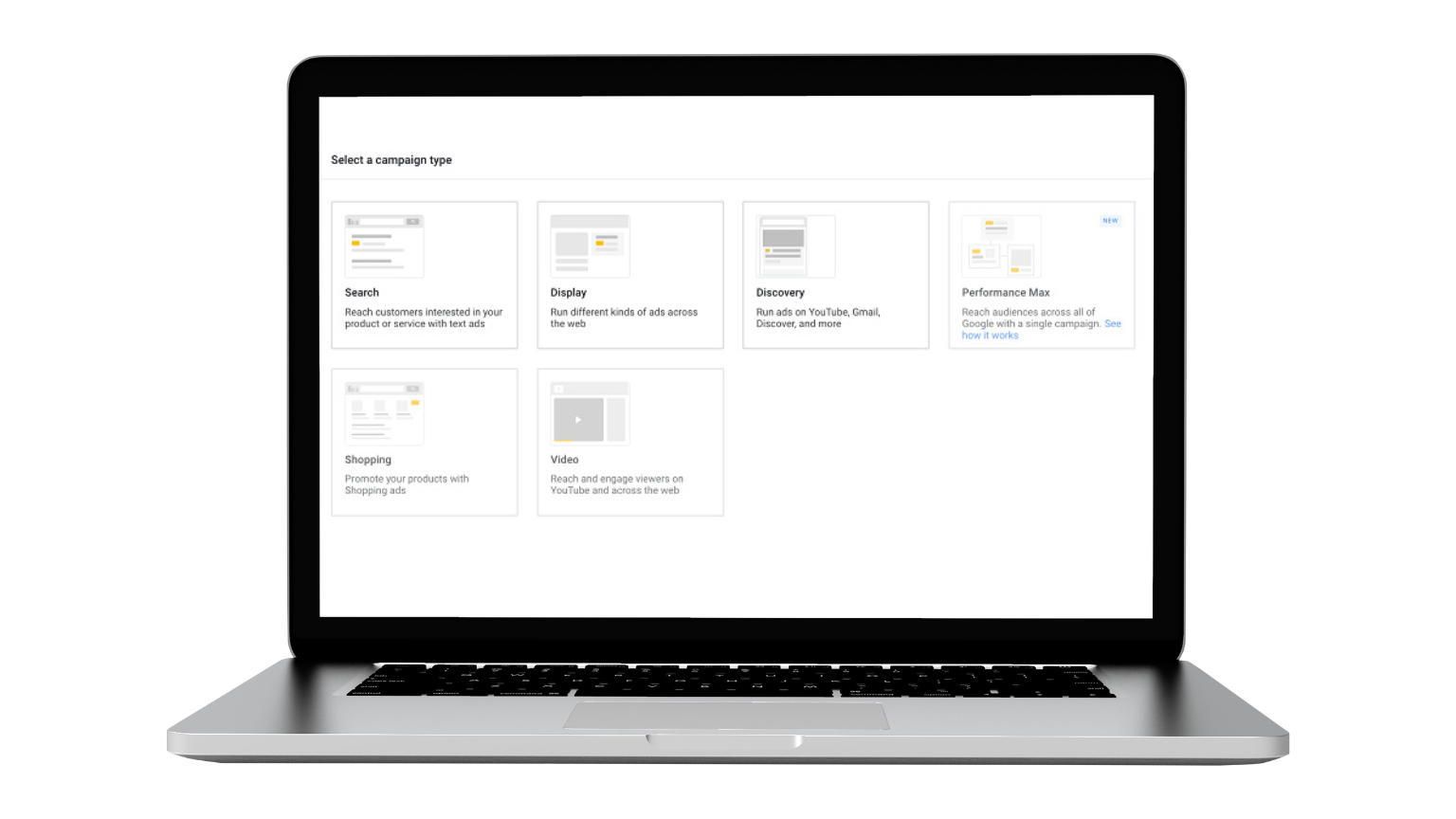
Each recommendation is weighted by how much it can improve your account. While you don’t have to follow them all, these tips can help you find ways to boost your campaigns and settings.
A score above 80% is good, and with active management, you can aim for over 90%.
The optimization score is a dynamic metric that evaluates your Google Ads account’s performance in real-time. This score ranges from 0% to 100%, with 100% indicating optimal performance. You can find this score at various levels within your account, including the campaign, account, and manager levels. It serves as a diagnostic tool, helping you pinpoint areas that need improvement.
Each level—whether a specific campaign, the entire account, or a manager account—can have different optimization scores, reflecting their unique performance and optimization needs. By regularly monitoring these scores, you can refine your ad campaigns, make the most of your advertising budget, and achieve your business goals more effectively.
Why Your Optimization Score Matters
Maintaining a high optimization score is crucial for several specific reasons:
A high score means your campaigns are well-optimized, which can lead to your ads being placed in more favorable positions on Google’s search results and partner sites.
When your campaigns are optimized, you can achieve better performance at a lower cost.
Optimized campaigns are more likely to reach the right audience with the right message, resulting in higher conversion rates.
A high score indicates compliance with Google’s best practices. This includes relevant ad copy, appropriate keyword selection, and optimal targeting settings. Following these guidelines improves your account’s overall performance.
By adhering to best practices, your ads become more relevant to users’ search queries, increasing the likelihood of engagement and conversions.
Consistently tracking and acting on these scores ensures your ad campaigns operate at their peak, allowing you to promptly address underperforming areas.
| Score Range | Status | What It Means | Recommended Actions |
|---|---|---|---|
| 0 – 49% | Critical | Campaign has major structural gaps: missing extensions, single ads per group, no RSAs, or unreviewed recommendations. | Run a full manual audit. Add RSAs, enable all relevant ad extensions, review keyword match types. |
| 50 – 69% | Needs Work | Basic setup is in place but key optimizations are missing. Google is likely flagging bidding strategy or keyword gaps. | Review and selectively apply recommendations. Prioritize extensions and bidding adjustments. |
| 70 – 84% | Good | Campaign is well-structured. Remaining recommendations may not align with your strategy. | Evaluate remaining suggestions carefully. Dismiss irrelevant ones with a reason to recalculate your score accurately. |
| 85 – 100% | Excellent | Campaign follows Google's best practices. However, a high score does not guarantee high ROI. | Focus on actual KPIs — ROAS, CPA, conversion rate. Don't chase 100% at the cost of strategic control. |
How Google Calculates Your Optimization Score
Understanding how Google calculates your optimization score is essential for improving it. The score is calculated in real-time based on several factors, including your account and campaign statistics, ad relevance, keyword selection, targeting settings, and the use of ad extensions.
Google analyzes the performance data, settings, and status of your account and campaigns. Ad relevance is assessed to ensure your ads are closely related to the search queries they target. The effectiveness and appropriateness of your chosen keywords are evaluated. Targeting settings are checked to see how well they align with your desired audience. The use and effectiveness of ad extensions, like site links and callouts, are also considered.
By following these tips, you can:
- Make sure your ads are hitting the mark with your audience.
- Choose keywords that drive better results.
- Reach the right people more effectively.
- Use extensions to enhance your ad’s visibility and appeal.
Keeping an eye on your optimization score and acting on these insights can lead to better ad placements, lower costs per click, and higher conversion rates.
How Does Real-Time Data Analysis Impact Google Ads Optimization Score
Real-time data analysis keeps your Google Ads Optimization Score up-to-date by constantly evaluating various data points. This ensures your score reflects your current ad performance, directly influencing your Ad Rank. Google’s AI and machine learning tools analyze past performance data and your account setup, providing tailored recommendations based on predicted outcomes.
These recommendations help you achieve the best performance by using historical data and forecast models.
Some recommendation types can automatically update with changing metrics, making it crucial to act quickly to maintain a high score.
How Do You Find Your Optimization Score in Google Ads
Finding your optimization score in Google Ads is easy and quick. To locate it, go to the Recommendations tab in the left-side menu of your Google Ads account. This tab gives you a full view of your account’s performance and shows areas needing improvement.
You can see the optimization score at the campaign, account, and manager account levels. It’s displayed in the edit panel on the right side of the data table under the Recommendations tab. Regularly checking this tab helps you stay updated on your account’s health and take timely steps to improve your optimization score.
How Do You Access the Recommendations Tab in Google Ads
Start by signing into your Google Ads account.
Once logged in, navigate to the left-hand menu and click on ‘Recommendations’. This will take you to a summary page displaying all the tailored recommendations for your Google Ads account.
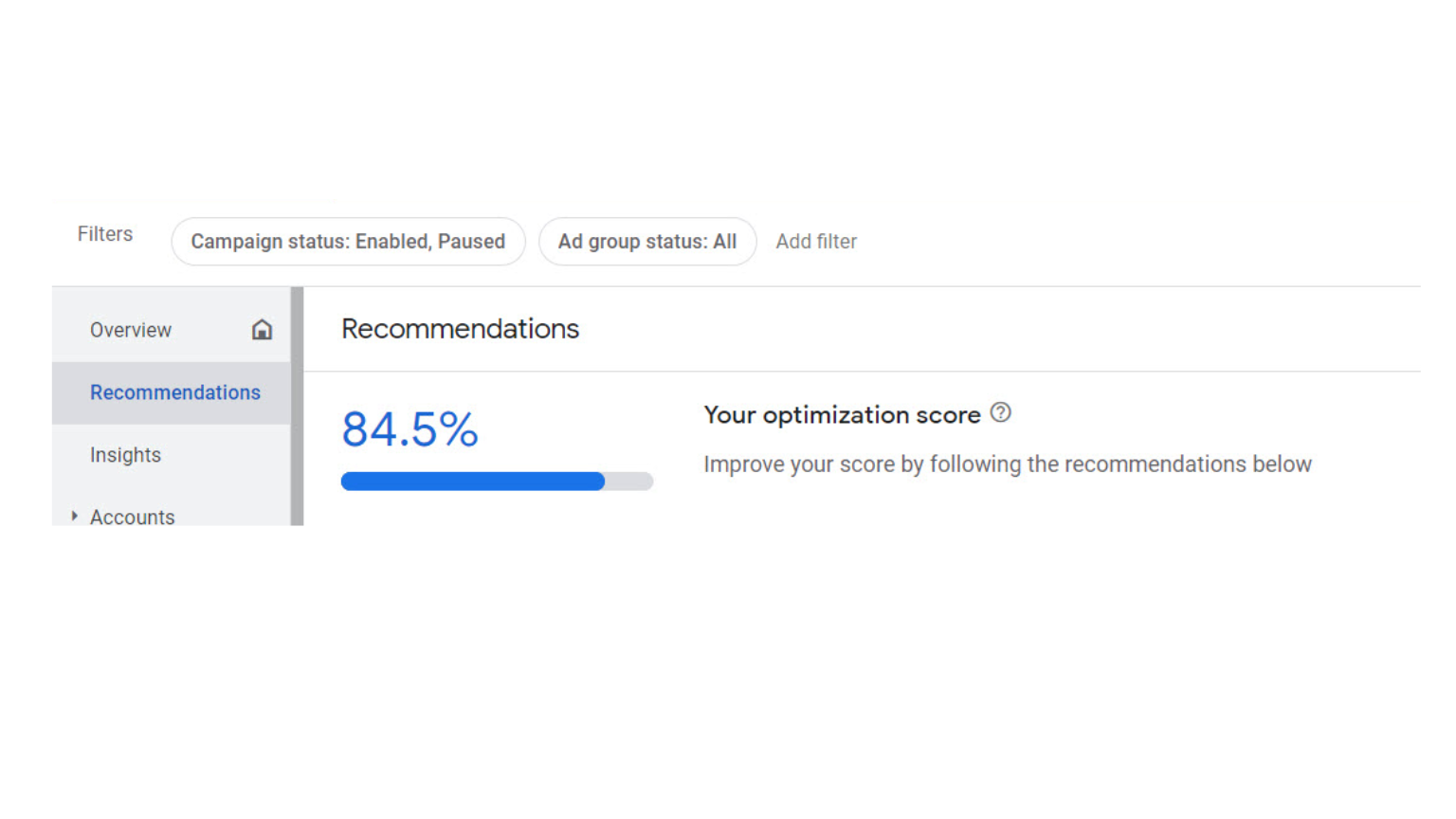
The Recommendations tab offers actionable insights and suggestions to improve your campaign performance. It covers everything from enhancing bidding strategies to adding new keywords.
Using Google Ads Editor is another efficient way to view your optimization score. In the latest version, V1.3, you can see your optimization score directly within the editor interface. This feature is available on the Recommendations summary page, with the score displayed above the data table.
To view your optimization score in Google Ads Editor, click on ‘View recommendations’. This takes you to the recommendations summary page, where you can see the score and detailed suggestions for improving your campaigns.
How Can You Improve Your Google Ads Optimization Score
Improving your Google Ads Optimization Score requires a strategic approach. Start by implementing Google’s recommendations found in the Recommendations tab.
These suggestions are tailored to enhance bids, keywords, and ads, introducing new features and improving campaign efficiency.
Refining your keyword strategy is also crucial. Regularly review and optimize your keyword list by adding relevant keywords and removing those that are underperforming.
Google’s recommendations provide insights into the potential outcomes of these changes, helping you gauge their impact. Testing these recommended changes and monitoring their effects on your campaigns is vital for continuous improvement. Prioritize the recommendations that align with your business goals and have the most significant impact on your performance.
How Can You Refine Your Keyword Strategy
Refining your keyword strategy is essential for achieving a high optimization score. Start by incorporating negative keywords to filter out irrelevant traffic, ensuring your ads reach the right audience. Removing redundant keywords can reduce internal competition, improving overall campaign performance.
Adding high-performing search queries as keywords can expand your campaign’s reach and increase traffic. Regularly update and refine your keyword list based on performance data to prevent keyword cannibalization and enhance ad relevance. Understanding the value of different keyword types in Google Ads will help you make informed decisions about which keywords to prioritize.
What Are the Benefits of a High Optimization Score
Maintaining a high Google Ads Optimization Score offers numerous benefits that can significantly enhance your advertising efforts. A high score leads to better ad placements, as Google favors well-optimized ads, placing them in more prominent positions on search results pages. This increased visibility can boost your ads’ click-through rates, driving more traffic to your website.
Moreover, a high optimization score can result in lower costs per click (CPC). Google Ads rewards well-performing campaigns by reducing CPC, making your advertising more cost-efficient. Additionally, higher conversion rates are often associated with high optimization scores, ensuring your campaigns reach their target audience effectively and achieve optimal performance.
Overall, maintaining a high optimization score provides a competitive edge over other advertisers, ensuring that your Google Ads account operates at its full potential and delivers the best possible results.
Achieving a high optimization score can significantly enhance your Ad Rank and Quality Score.
Here’s how:
- An improved Quality Score results from high ad relevance and a positive landing page experience. A high optimization score indicates that your ads are closely aligned with users’ search queries and that your landing pages provide a good user experience.
- A higher Quality Score directly contributes to a better Ad Rank. This can lead to more prominent ad placements on search results pages and potentially lower costs per click (CPC).
We live, breathe & Dream Paid Traffic
What Are the Most Common Mistakes When Acting on Your Optimization Score?
Many advertisers treat the Optimization Score as an absolute performance indicator, and that is precisely where things go wrong. This score simply reflects how well your settings align with Google’s algorithmic recommendations, not your actual return on investment. When chasing a perfect number becomes the priority, you risk draining your budget.
Here are the most common pitfalls marketers encounter and how to navigate them.
- Applying every recommendation automatically
Google’s suggestions are generated algorithmically and do not account for your specific campaign strategy, brand voice, or audience nuances. For instance, Smart Bidding recommendations may aggressively push you toward Target CPA before your campaign has collected enough conversion data, leading to erratic bids and wasted spend.
- Chasing 100% at the cost of control
A perfect score does not equal perfect performance. Accepting broad match keywords or removing negative keywords you deliberately added will inflate your score, but it will also widen your reach far beyond your target audience, flooding your account with irrelevant traffic.
- Ignoring low-score campaigns
A score below 50% usually signals structural issues rather than a need for quick fixes. These campaigns often suffer from missing ad extensions, single-ad groups, or a lack of responsive search ads. They deserve a comprehensive manual audit, not just a one-click automated solution.
- Not dismissing irrelevant recommendations
Google actually counts dismissed recommendations toward your score. If a suggestion genuinely does not fit your strategy, simply dismiss it and select a reason. This removes it from the score calculation, keeps your dashboard clean, and protects your performance without sacrificing your control.
What Are the Potential Pitfalls of Relying Solely on Optimization Score
While maintaining a high optimization score can be beneficial, relying solely on it can have drawbacks.
Over-focusing on the optimization score can lead to tunnel vision, causing you to lose sight of broader marketing goals and critical campaign KPIs. Striving for a 100% optimization score may sometimes result in increased advertising budgets and overlook important campaign metrics.
Optimization recommendations might miss the context of a campaign, leading to suboptimal keyword suggestions or changes that aren’t suitable for every specific campaign.
Always evaluate Google’s recommendations carefully and monitor the score regularly.
Summary
The Google Ads Optimization Score is a powerful tool that offers valuable insights into the health and performance of your ad campaigns. Understanding how the score is calculated and implementing strategies to improve it can significantly enhance your advertising efforts. A high optimization score can lead to better ad placements, lower costs per click, higher conversion rates, and a competitive edge in the digital marketing landscape.
However, it’s crucial to balance optimization score improvements with your broader business objectives. Over-relying on automated recommendations and focusing solely on the score can result in missed opportunities and misaligned strategies.


AI Overviews Cut Paid CTR by 68%. Here’s What Actually Still Works in 2026
